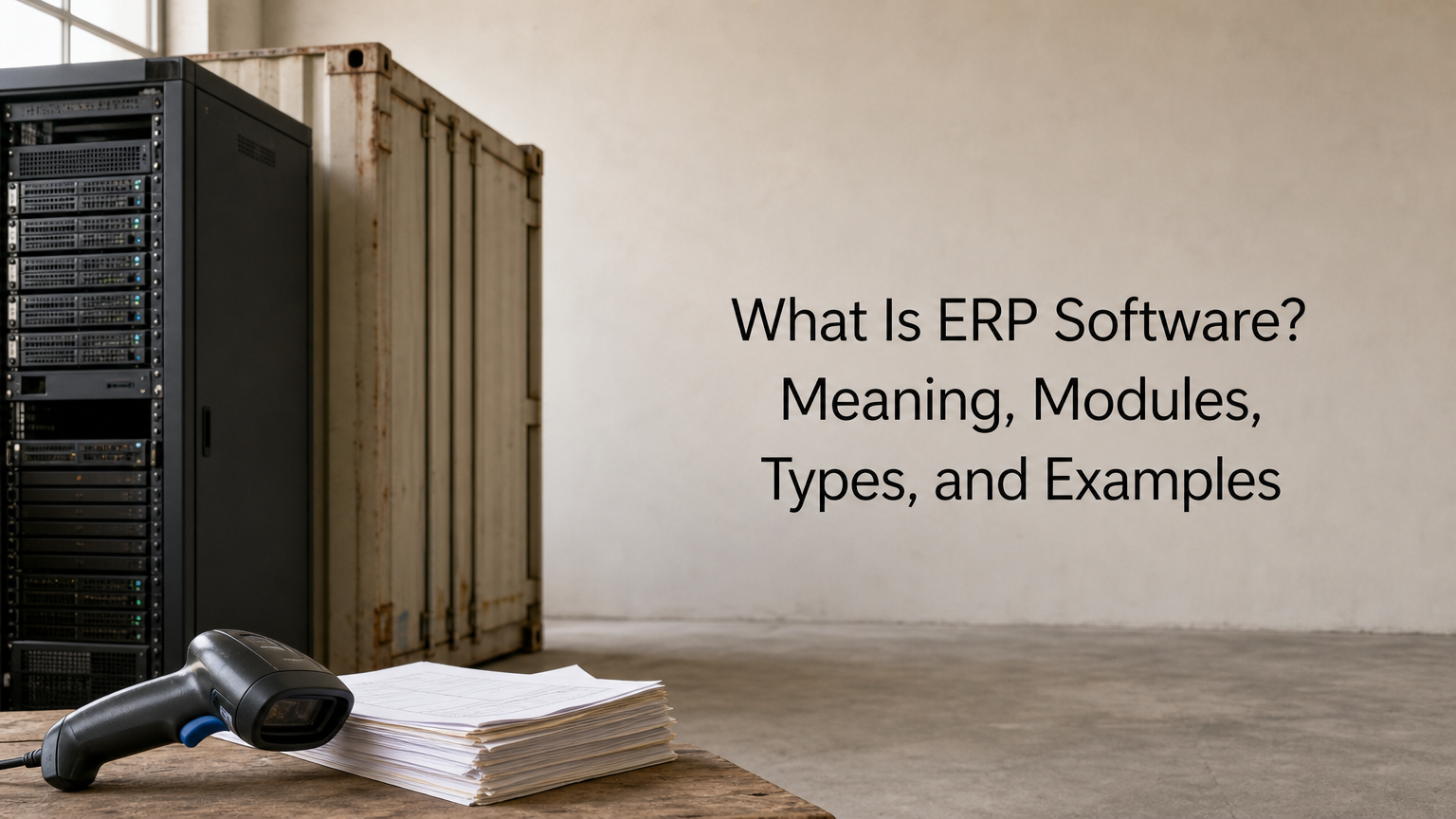
People who ask what are ERP software systems usually want one clear answer. ERP stands for enterprise resource planning, and ERP software is a single business system that runs finance, sales, purchasing, inventory, HR and operations from one shared database. Instead of each department keeping its own spreadsheet or app, everyone works from the same live records.
A simple picture helps. A freight forwarder quotes a customer, books a shipment, tracks the cargo, delivers it and sends an invoice. Without ERP, each step often lives in a different tool, and someone retypes the details every time. With ERP, the quote becomes the booking, the booking becomes the job, and the job becomes the invoice. At QuikeFix we build and support ERP for logistics teams, so we see every day what happens when those links are missing.
This article explains why ERP software matters, how it works, which modules it contains, and which types and well-known systems exist. You will also get a checklist for choosing one and a step-by-step plan for rolling it out.
Why ERP software matters for your business
ERP software matters because it replaces disconnected tools and retyped data with one version of the truth. That means fewer errors, faster month-end closing and a clear view of what is happening across the business. The benefit grows with every department and system you add.
The cost of running on disconnected tools
Most businesses start with a spreadsheet for quotes, an accounting package for invoices and a shared folder for documents. This works until volume grows. Every handover between tools is a chance for a typo, a missed update or a version nobody trusts. Duplicate data entry is the most visible cost, but the bigger one is decisions made on stale numbers.
Here is an illustrative example. Suppose a small forwarder handles 40 jobs a week. Each job is keyed into three places: a quoting sheet, an operations tracker and the accounting package. At 6 minutes per entry, that is 40 × 3 × 6 = 720 minutes, or 12 hours of pure retyping every week. That is before anyone fixes the mistakes those 120 entries will produce.
ERP software pays off by removing handovers, not by adding features.
What a shared system changes
When all modules share one database, the business gains several things at once:
- One source of truth: a customer, product or supplier exists once, with one name and one history.
- Real-time visibility: managers see stock, cash and job status as they change, not after someone compiles a report.
- Fewer manual steps: an approved order can trigger a purchase request or an invoice automatically.
- Tighter control: approvals, permissions and audit trails sit inside the workflow instead of in email threads.
- Faster reporting: finance pulls figures from the system instead of reconciling five files.
- Room to grow: you add users, sites or modules without rebuilding your processes.
Signs you have outgrown spreadsheets
Few businesses need ERP on day one. You are probably ready when closing the books takes longer each month, or when a simple question such as "which product line earns the most margin?" needs a day of spreadsheet work. Other signals are staff entering the same data twice, customers asking for status updates that nobody can answer quickly, and stock counts that never match the books.
If two or three of these sound familiar, the problem is no longer a tool. It is the lack of connection between tools, and that is exactly what ERP software exists to fix.
How ERP software works
ERP software works by linking separate modules to one central database, so a record created in one department is instantly available to every other module that needs it. Each module handles a business area, while the shared data keeps them consistent.
One database, many modules
Think of the database as the single filing cabinet for the whole company. The finance module, the inventory module and the sales module all read from and write to it. When a warehouse clerk receives goods, stock levels update, the purchase order closes and the supplier invoice can be matched, all from that one entry.
Companies choose the modules they need now and add more later. A distributor might start with sales, inventory and finance, then add procurement or reporting as it grows. Workflows and roles sit on top. A manager approves a purchase above a set amount, a clerk can only see their own warehouse, and every change is logged. That is how ERP delivers control without email chains.
Following one job through the system
The easiest way to see ERP at work is to follow a single order from start to cash. Here is a freight job as an example:

- Sales issues a quotation from the rates table, and the customer accepts it.
- The quotation converts into a booking and then a job, with no retyping.
- Operations records milestones such as collection, transit and delivery.
- The warehouse and inventory management module logs receiving, storage and dispatch.
- Proof of delivery is attached to the job.
- Finance raises the invoice from the job and compares supplier costs against the quote.
- The payment clears, and the job margin is visible straight away.
The same logic applies to buying. A purchase request becomes an approved order, then a goods receipt, then a matched supplier invoice and finally a payment. Every step references the one before it.
In ERP, each document is born from the previous one, so nothing is typed twice and nothing gets lost.
Integrations and where the idea came from
No ERP system covers everything, so it connects to other software through APIs, connectors or integration platforms (iPaaS). Common links include online stores, payment gateways, banks, e-signature tools, carrier feeds and customer portals. When you evaluate a system, ask how these connections are built and who maintains them.
The concept itself is old. Manufacturers used material requirements planning (MRP) from the 1960s, which grew into MRP II in the 1980s as purchasing, scheduling and bills of materials joined together. Analysts began calling the broader category enterprise resource planning around 1990, once finance, HR and customer data joined the same systems. Cloud delivery and, more recently, built-in automation and AI assistants are the latest steps.
The core modules of ERP software
Core ERP modules cover finance, HR, procurement, inventory and supply chain, sales and CRM, manufacturing, projects and reporting. You rarely need all of them. The right set depends on how your business makes money.
Common ERP modules at a glance
| Module | What it handles | A question it answers |
|---|---|---|
| Finance and accounting | General ledger, payables, receivables, billing, budgeting, financial close | What is our cash position today? |
| Human resources | Employee records, payroll links, leave, recruitment | How many people work in each team? |
| Procurement | Purchase requests, orders, supplier management, approvals | Which suppliers are we overspending with? |
| Inventory and warehouse | Stock levels, locations, receiving, dispatch, barcode tracking | Where is this item right now? |
| Supply chain | Demand planning, logistics, supplier coordination | When will this order actually arrive? |
| Sales and CRM | Leads, quotations, orders, customer history, service cases | Which customers are about to reorder? |
| Manufacturing | Production schedules, bills of materials, quality control | Can we deliver this order on time? |
| Projects and services | Time, resources, costs and margins per project or job | Which jobs make money and which do not? |
| Reporting and analytics | Dashboards, KPIs, compliance reports | How is each department performing against plan? |
ERP versus accounting software and CRM
An ERP system is broader than accounting software. Accounting covers the ledger, payables, receivables and reporting. ERP includes all that, then connects it to inventory, purchasing, production, projects and people. Oracle and SAP both describe finance as one module inside the ERP, which is the clearest way to see the relationship.
Many small businesses begin with an accounting package such as QuickBooks or Xero. These tools are excellent for bookkeeping, and some lists loosely call them ERP. But once you need stock control across locations, purchase approvals or job-level costing, you need operational depth that accounting packages do not provide. CRM software is similar. It manages customer relationships, and most ERP suites either include a CRM module or integrate with one. That is why ERP is often called business management software rather than just an IT tool.
Types of ERP software
ERP software comes in types defined by how it is deployed, how big the business is and how specialised the industry is. Knowing these three dimensions helps you ignore most vendor noise.
Deployment models
| Model | How it runs | Main strength | Watch out for |
|---|---|---|---|
| Cloud (SaaS) | Hosted by the vendor, accessed through a browser on subscription | Lower upfront cost, automatic updates, easy scaling | Ongoing subscription fees, dependence on internet access |
| On-premises | Installed on your own servers | Maximum control and customisation | Hardware, maintenance, security and upgrade costs fall on you |
| Hybrid or two-tier | Some functions on-premises, others in the cloud, such as headquarters on-premises and subsidiaries in the cloud | Gradual migration, handles special compliance needs | More integration work and two environments to manage |
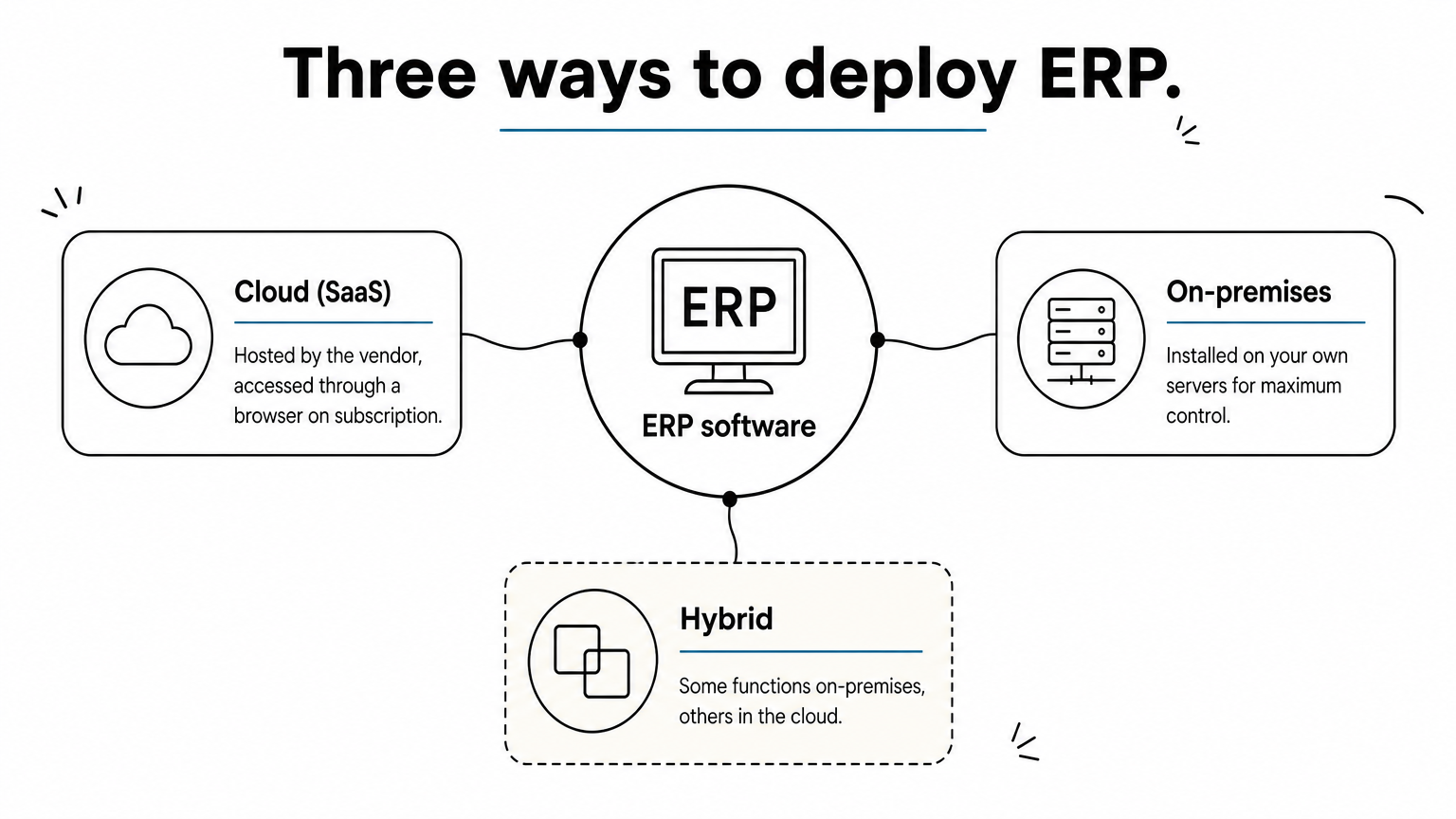
Cloud is now the most common choice for new projects, especially for small and mid-sized firms without a large IT team. On-premises still makes sense when regulation, connectivity or heavy customisation demands it. Some businesses also host an ERP on their own VPS hosting or dedicated server, which gives cloud-style access with more control over the environment.
By business size
- Small business ERP: quick to set up, usually cloud-based and priced per user, covering finance, sales and inventory.
- Midmarket ERP: modular, with stronger reporting, multi-entity support and room for integrations.
- Enterprise ERP: global support for currencies, languages and regulations, deep customisation and large transaction volumes.
General versus industry-specific
General ERP covers common processes and expects you to configure the rest. Industry-specific ERP ships with workflows already shaped for a sector, such as manufacturing, construction, healthcare, retail or freight. The trade-off is clear. General systems are flexible but need more configuration, while specialised ones start closer to your reality but may fit other sectors poorly.
Choose the deployment model for your IT capacity, and the industry fit for your daily workflows.
Examples of ERP software
Well-known ERP software includes SAP, Oracle NetSuite, Microsoft Dynamics 365, Odoo, Acumatica, Epicor, Infor and IFS, plus industry-specific products for sectors such as freight. They differ more in focus and size than in basic purpose.
Common ERP systems compared
| System | Typically suited to | What stands out |
|---|---|---|
| SAP Business One | Small and mid-sized businesses | Finance, sales, inventory and purchasing in one package from the SAP family |
| SAP S/4HANA | Large enterprises | Broad suite for finance, supply chain, manufacturing and more |
| Oracle NetSuite | Growing and mid-sized companies | Cloud ERP with finance, commerce and supply chain; pricing by quote |
| Microsoft Dynamics 365 | Companies already using Microsoft tools | Modular apps that connect to Microsoft 365; each app is priced separately |
| Odoo | Small to mid-sized businesses | Open-source, modular apps with deep customisation options |
| Acumatica | Mid-sized firms | Cloud ERP for distribution, manufacturing and construction |
| Epicor | Manufacturers and distributors | Production, inventory and supply chain depth |
| Infor | Industry-focused enterprises | Pre-configured processes for specific sectors |
| IFS | Asset-heavy, project and service businesses | Strong in field service, assets and projects |
How to read a list like this
Brand names tell you less than fit. A system that suits a 5,000-employee manufacturer can overwhelm a 20-person distributor, and a light cloud tool can run out of road quickly. Many vendors do not publish pricing. They quote by users, modules and scope, so budgets only become real after a conversation.
Look at three things first: the size the product is designed for, whether it has a proven track record in your industry, and how much local support and expertise you can get nearby.
An industry-specific example: freight and logistics
QuikeFix Freight ERP is a good illustration of the industry-specific approach. It is an Odoo-based system for South African clearing, forwarding, transport and warehouse teams. It links CRM, rates, quotations, bookings, jobs and shipments with cargo and documents, milestones, proof of delivery, barcode warehouse tracking, vendor onboarding, invoice reconciliation and job margin.
It also gives customers and vendors portals and prepares SARS-ready customs data, documents and status controls. Direct SARS integration is planned but not yet active. The point is not the product itself, but the pattern. An industry-specific system speaks the language of your operation from the first day, so less of the project goes into translating generic modules.
What to look for when choosing ERP software
When choosing ERP software, look for a common database, fit with your real workflows, open integrations, usable reporting, role-based security, room to scale and dependable support. Then test each point against your own processes, not a vendor’s sample company.
A feature checklist
- A common database: one record per customer, product and supplier across all modules.
- Workflow fit: your actual quote-to-cash and procure-to-pay flows, with minimal custom code.
- Integration: documented APIs and connectors for your accounting, payments, e-commerce and carrier tools.
- Reporting and dashboards: self-service reports that managers can build without a developer.
- Automation: approvals, reminders, reordering and document generation without manual steps.
- Security and roles: permissions by role, audit trails and backup arrangements.
- Usability: a clear interface, because staff adoption decides whether the project succeeds.
- Scalability: the ability to add users, entities, warehouses and modules without migrating.
- Support: implementation help, training and a named route for fixing problems.
What drives the total cost
Software licences are only one line. Total cost of ownership usually includes subscription or licence fees (often priced by users, modules and environments), implementation and configuration, data migration, integrations, training and ongoing support. Migration costs rise with the number of source systems, the volume of records and how clean the data is.
Because these inputs vary so widely, reputable providers quote after a consultation. Be cautious about any vendor that gives a fixed price before asking how many users, modules and systems are involved. When you request a quote, have your user count, required modules, current systems, integrations and target date ready.
The licence is the visible cost, but migration, integration and training decide the real budget.
Questions to ask in a demo
Ask the vendor to run your own scenario, not the standard tour. Bring a typical order and an awkward one, such as a partial delivery or a disputed invoice. Then ask:
- How does this document flow into the next one, and where would a person retype data?
- How are permissions set, and can I see an audit trail of changes?
- Which of my current systems can you connect to, and who builds and maintains that link?
- What does a report look like when I need a new column next quarter?
- What happens to my data and support if I leave?
How to implement ERP software step by step
Implementing ERP software works best in four phases: discover, design, implement, then support and improve. Skipping the early phases is the most common reason ERP projects run over budget or go unused.
The steps in order
QuikeFix follows these four stages in every ERP implementation, and they match good practice anywhere. Here is how they break down in practice:
- Define the outcome. Write down the problems you want solved, such as double entry, slow closing or no stock visibility, with a measurable target for each.
- Map your processes and users. List who does what today, which systems they use, which data they need and where the risks sit.
- Design the scope. Choose modules, workflows, access roles, hosting, integrations and acceptance criteria before any configuration starts.
- Prepare your data. Cleanse duplicates, fix naming and decide what history is worth migrating.
- Configure and test. Build the workflows, then test them with realistic business scenarios, including the awkward ones.
- Train and go live. Train each team on its own tasks, and plan go-live support for the first weeks.
- Monitor and improve. Track adoption, security and performance, then refine reports, controls and automation.
Common mistakes to avoid
The first mistake is treating ERP as an IT project. It is a business change project, so owners from finance, operations and sales must be in the room. The second is customising too early. Start with standard workflows, use them for a few months, and customise only what proves necessary.
Other classic errors are migrating dirty data, underestimating training and switching everything on at once. A phased rollout, starting with one product, one team or one site, lowers risk and builds confidence.
What a realistic rollout depends on
Timelines vary with the number of modules, users, sites, integrations and data sources. A focused rollout of a few modules can be much faster than a multi-department program with several systems to retire. Be wary of any promise of fixed savings, because results depend on scope, process design, data quality, adoption and integration.
A start-small approach works well. Begin with the modules that fix your sharpest pain, add users and locations as the team gains confidence, and expand the system when the business needs it.
Where to go from here
ERP software is one connected system for the work your departments already do. It matters because shared data removes retyping, errors and guesswork. It works through modules on a common database, comes in cloud, on-premises and hybrid forms, and ranges from general suites to industry-specific products. Choose by fit, test with your own scenarios and roll it out in phases.
If you run a freight, clearing, transport or warehouse operation, or you want to talk through ERP, hosting and managed IT in one place, you can book a consultation or demo with QuikeFix and see our freight forwarding, clearing and logistics ERP. Bring your user count, current systems and main pain points, and we will build the conversation around your workflow.