Searching for CRM software examples usually means you’re stuck comparing options and trying to figure out which platform actually fits how your team sells and supports customers. Every vendor claims to organize your pipeline and centralize customer data, but the differences show up once you start using the thing daily, not in the marketing copy.
This article gives you a straight answer: ten real CRM platforms, what each one does well, and the type of business that gets the most out of it. You’ll see examples of CRM software built for small sales teams, others designed for large support desks, and a few that work better once bolted onto a bigger operations platform. We also cover CRM software for customer service specifically, since service tracking and sales tracking need different features even when they live in the same tool.
At QuikeFix, we build and integrate CRM functionality inside broader business systems, so we’ve watched firsthand where standalone CRM tools fall short for growing companies. Use this list to shortlist platforms that match your actual workflow, not just your budget.
1. What is CRM software, and why do these examples matter
CRM stands for customer relationship management, and CRM software is the system that stores every interaction you have with a customer or prospect in one place. That’s the short answer to what is CRM software examples searches usually want cleared up first. Instead of chasing a deal through someone’s inbox, a spreadsheet, and a sticky note on their monitor, you get one record per contact showing every call, email, quote, and support ticket tied to that relationship. When someone asks for CRM meaning software examples, this is the practical version: a system of record for who your customer is, what they bought, and what they need next.
Most platforms handle three core jobs: tracking deals through a sales pipeline, logging customer communication, and triggering follow-up tasks automatically. Some tools add support ticketing, marketing automation, or reporting dashboards on top. The CRM software examples list below covers all of these variations because "CRM" has become a loose label. A five-person sales team and a 200-agent support desk both use CRM software, but they need almost nothing in common feature-wise.
A CRM is only as useful as the workflow it was actually built for, not the workflow it claims to support.
This matters because most buyers pick a CRM based on brand recognition, then discover six months later that it doesn’t fit how their team actually works. A logistics company chasing shipment milestones needs different fields and automation than a software company chasing subscription renewals. Reviewing CRM software system examples side by side, rather than reading a single vendor’s feature page, shows you where each platform’s design assumptions show up in daily use.
Why compare specific platforms instead of generic features
Feature lists tend to look identical across vendors: contact management, pipeline view, email sync, reporting. Real differences show up in three places, and none of them appear clearly in a features table.
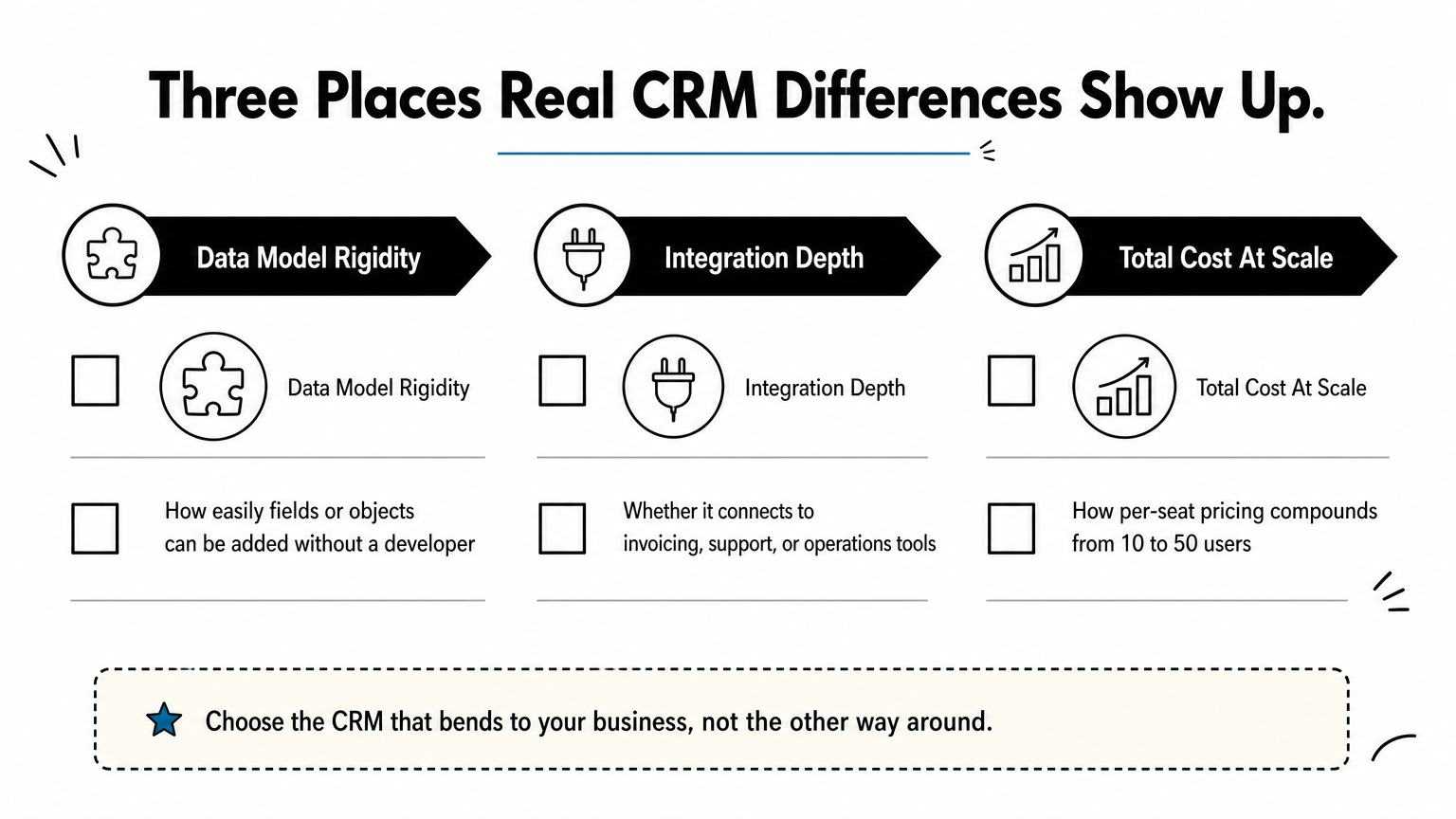
- Data model rigidity: how easily you can add custom fields, stages, or objects without hitting a wall or needing a developer
- Integration depth: whether it plugs into your existing invoicing, support, or operations software, or needs middleware to connect
- Total cost at scale: the jump from a 10-user starter plan to a 50-user rollout, since per-seat pricing compounds fast
Organizations searching for a CRM software sample to test usually want to see these differences in action, not read about them abstractly. The rest of this list walks through ten platforms, what each does well, and where it falls short, so you can match a system to your actual team size and workflow instead of guessing from a pricing page.
2. QuikeFix CRM and automation on Odoo
QuikeFix builds CRM functionality on top of Odoo, then wires it into whatever operational systems a business already runs, whether that’s freight tracking, invoicing, or a custom workflow. This isn’t a standalone CRM you buy off a shelf and configure alone. It’s a CRM software example built specifically for businesses that need customer records connected to real operational data through unified enterprise relationship management software, not sitting in a separate app that someone has to update manually.

What it does
The platform tracks leads, deals, and customer communication the way any CRM does, but the real value shows up in automation. Quotes generated in the CRM can trigger warehouse or service workflows automatically, including freight, logistics and SARS EDI operations where customs and shipment data has to move with the deal. Support tickets can pull customer history from finance or operations modules without anyone re-entering data. This is where CRM software for customer service teams benefit most, since agents see order status, invoice history, and past tickets in one screen instead of switching between four tabs.
A CRM that can’t see your operations data is just a fancier contact list.
Who it’s best for
This setup fits businesses that have outgrown a generic CRM but don’t want to stitch together five separate tools with fragile integrations. It particularly suits South African companies in freight, logistics, or service-heavy industries where customer records need to connect to shipment status, compliance documents, or job costing, the same territory covered by ERP software for South African businesses. If you’re comparing examples of CRM software and keep hitting walls with rigid, one-size-fits-all platforms, this is built for exactly that frustration.
Pricing
Pricing isn’t a flat per-seat number, because the CRM gets scoped alongside whatever else you’re automating. QuikeFix works through a discovery and design process to price based on actual modules and integrations needed, not a generic tier. Book a scoping call if you want tailored pricing specific to your team size and workflow.
3. Microsoft Dynamics 365
Microsoft Dynamics 365 is one of the most recognizable CRM software examples on any enterprise shortlist, mainly because it plugs directly into tools most office workers already use every day. Instead of a separate login and a separate interface, sales and service data lives right next to Outlook, Teams, and Excel, which cuts down on the app-switching that slows other platforms down.
What it does
Dynamics 365 splits into modules rather than one fixed product, covering sales, customer service, field service, and marketing as separate but connected apps. Companies pick and pay for only what they need, then add modules later without migrating data. CRM software system examples like this one shine when a business already runs on Microsoft 365 for email and documents, since the CRM data flows into the same reporting tools through Power BI without extra connectors.
The biggest advantage of Dynamics 365 isn’t the CRM features themselves, it’s how little friction there is connecting them to tools your team already uses daily.
Who it’s best for
Enterprises with existing Microsoft infrastructure get the most value here, particularly those with IT teams comfortable managing Azure-based deployments. Businesses asking what are CRM software examples for large, multi-department rollouts should look here first, since Dynamics 365 handles complex approval chains, multi-currency deals, and territory management better than most lighter platforms. Smaller teams without dedicated IT support often find the setup heavier than they need.
Pricing
Microsoft prices each module separately, starting around $65 per user per month for Sales Professional, with Enterprise tiers running higher and add-on modules like Customer Service or Field Service priced independently. Costs climb fast once you combine modules across a full team, so get a quote scoped to your actual department needs before committing.
4. Salesforce Sales Cloud
Salesforce Sales Cloud is probably the platform most people picture when they search CRM software examples, since it built the category’s reputation for cloud-based sales tracking back when most competitors still sold installed software. It remains the benchmark that other vendors get compared against, fairly or not.

What it does
Sales Cloud manages the full deal cycle: lead capture, opportunity tracking, quote generation, and forecasting, all inside a highly customizable interface. Its AppExchange marketplace lets businesses bolt on thousands of third-party add-ons, from e-signature tools to industry-specific dashboards, without waiting on Salesforce itself to build a feature. That customization depth is why so many CRM software system examples used in enterprise training material come from Salesforce specifically. Admins can reshape objects, fields, and automation rules almost without limit, which is a strength and a liability depending on who’s configuring it.
Salesforce rewards businesses that invest in proper setup and punishes the ones that don’t.
Who it’s best for
Mid-size to large sales organizations with a dedicated admin or Salesforce partner get the most value, since the platform’s flexibility only pays off when someone configures it deliberately. Companies with complex, multi-stage sales processes across several regions or product lines fit naturally here. Smaller teams without technical support often find the setup overwhelming and end up using a fraction of what they’re paying for.
Pricing
Salesforce prices per user per month, starting around $25 for Starter and climbing past $165 for Unlimited Edition, with most growing sales teams landing on the mid-tier Professional or Enterprise plans. Add-ons for automation, forecasting, and CPQ (configure, price, quote) push costs higher, so scope your quote against the specific modules your sales process actually requires.
5. HubSpot CRM
HubSpot CRM built its reputation on a free tier that actually works, not a stripped-down demo designed to push you toward a paid plan. It’s one of the most searched CRM software examples for a reason: startups and small teams can run real pipelines without a credit card, then scale into paid tiers once the free version stops covering their needs.
What it does
The core CRM handles contact records, deal tracking, and email logging, all synced automatically once you connect your inbox. Where HubSpot separates itself from other CRM software examples for customer service is its Service Hub add-on, which layers ticketing, live chat, and a knowledge base onto the same contact records sales already uses. Marketing Hub sits alongside it, so a lead’s entire journey, from ad click to closed deal to support ticket, lives under one contact record instead of scattered across separate tools.
HubSpot’s real strength isn’t the CRM itself, it’s how cleanly marketing, sales, and support share the same customer record.
Who it’s best for
Small to mid-size businesses without a dedicated CRM administrator get the most out of HubSpot, since the interface stays usable without heavy configuration. Marketing-led companies that need lead scoring and email campaigns tied directly to sales activity fit naturally here. Teams needing deep customization or complex multi-object data models eventually outgrow the platform and look toward Salesforce or Dynamics 365 instead.
Pricing
The free CRM covers unlimited users with basic contact and deal management, no time limit attached. Paid Sales Hub plans start around $20 per seat per month for Starter, climbing past $150 per seat for Professional once you need forecasting, custom reporting, and automation sequences. Bundling Marketing, Sales, and Service Hubs together brings meaningful discounts but also raises the total bill quickly as your team grows.
6. Pipedrive
Pipedrive was built by former salespeople frustrated with clunky CRM tools, and that origin still shows in how the platform prioritizes the pipeline view over everything else. Among CRM software examples list entries, it’s the one most often praised for being usable on day one, no onboarding call required.
What it does
Every deal shows up as a card on a visual pipeline, dragged from stage to stage as it moves toward close. Activity-based selling sits at the center of the design: Pipedrive nudges you to schedule the next call or email before you can move a deal forward, which keeps deals from stalling silently. Reporting stays simple by default, covering deal value, conversion rates by stage, and rep activity counts, though deeper custom reports need the higher-tier plans.
Pipedrive isn’t trying to be everything, it’s trying to make sure no deal gets forgotten.
Who it’s best for
Small sales teams that want a CRM they can set up in an afternoon fit best here. Founders running their own sales process before hiring a dedicated rep like the low learning curve. Teams needing built-in marketing automation, deep support ticketing, or complex multi-department workflows outgrow it fast, since Pipedrive stays intentionally narrow rather than expanding into every business function like some CRM software system examples on this list.
Pricing
Plans start around $14 per user per month for Essential, covering pipeline management and basic reporting. Advanced tiers run roughly $34 to $75 per user per month, adding email automation, revenue forecasting, and custom fields. AI-powered features and advanced permission controls sit in the top-tier Power and Enterprise plans, which most small teams never need to reach.
7. Zoho CRM
Zoho CRM sits inside a much larger suite of business apps, which makes it one of the more practical CRM software examples for companies that don’t want to buy tools one at a time forever. Zoho sells everything from accounting to help desk to HR software, and the CRM connects natively to all of it without third-party middleware.
What it does
Contact records, deal pipelines, and email tracking work the way you’d expect from any modern CRM, but Zoho’s real differentiator is Zia, its built-in AI assistant that scores leads, predicts deal outcomes, and flags anomalies in sales activity. Workflow automation (called Blueprint) lets you enforce a specific sales process step by step, which suits companies that need consistency across a growing rep team. Among CRM software examples for customer service, Zoho stands out for how tightly its Desk product ties support tickets back to the same customer record sales already sees.
Zoho’s advantage isn’t any single feature, it’s how many of its own apps already talk to the CRM out of the box.
Who it’s best for
Growing businesses already using other Zoho products, like Zoho Books or Zoho Desk, get the most value here, since the ecosystem removes integration work entirely. Budget-conscious teams that still want AI-assisted lead scoring and solid customization fit well too. Companies fully committed to Microsoft or Google workspaces sometimes find the Zoho ecosystem redundant if they’re not adopting its other apps.
Pricing
Plans start around $14 per user per month for Standard, moving to roughly $23, $40, and $52 for Professional, Enterprise, and Ultimate tiers respectively. Zia’s more advanced predictive features and deeper customization options only unlock on the top two tiers, so budget accordingly if AI-driven forecasting is the reason you’re considering Zoho in the first place.
8. Zendesk Sell
Zendesk built its name on customer support software, and Sell is the CRM it grew out of that same support foundation rather than bolting sales tracking onto an unrelated product. Among CRM software examples for customer service, this is the one built by a support company first, which shows in how naturally tickets and deals share the same record.
What it does
Sell tracks deals through a visual pipeline much like Pipedrive, with email tracking and call logging built in so reps don’t manually note every touchpoint. The real strength shows once a customer moves from prospect to paying account: their sales history sits right next to their support tickets inside the same Zendesk record, so an agent handling a complaint can see exactly what was promised during the sales process. This tight loop between sales and support is what makes Zendesk Sell stand out among CRM software system examples aimed at service-heavy businesses.
A sales team and a support team looking at the same customer record catch problems a split system never would.
Who it’s best for
Businesses already running Zendesk for support get the most obvious value, since adding Sell means no new integration work and no duplicate customer database. Companies where sales and service teams need to see the same account history, like SaaS renewals or subscription businesses, fit this model well. Organizations without an existing Zendesk support setup usually find better value starting with a CRM built purely for sales instead.
Pricing
Zendesk Sell starts around $19 per user per month for the Team plan, covering pipeline management and basic reporting. Growth and Professional tiers run roughly $55 and $115 per user per month, adding advanced reporting, sales forecasting, and deeper automation. Bundling Sell with Zendesk’s support product brings a combined discount, which matters if you’re already paying for both separately.
9. monday.com CRM
monday.com started as a work management board, not a CRM, and that history still shapes how the product feels today. It’s one of the more visual CRM software examples on this list, built around colorful, customizable boards rather than the traditional pipeline-and-record layout most vendors default to.
What it does
Boards replace the usual deal record, with columns you configure for anything from deal stage to shipment status to renewal date. Automation recipes trigger status changes, notifications, or task assignments without any code, which lets non-technical teams build fairly sophisticated workflows on their own. Because the underlying platform also runs project boards, marketing calendars, and HR trackers, some businesses use monday.com CRM alongside other monday.com boards rather than as an isolated tool, which is unusual among CRM software system examples built purely for sales.
monday.com works best when your CRM needs live next to project tracking, not apart from it.
Who it’s best for
Teams already running projects or operations on monday.com boards get the most natural fit, since adding CRM functionality means no new login and no separate data silo. Businesses that want heavy visual customization over rigid, pre-built sales stages appreciate the flexibility here. Companies wanting a CRM with deep, purpose-built sales features out of the box, like territory management or quotation and margin approval workflows, usually find monday.com’s general-purpose design gets in the way eventually.
Pricing
monday.com’s CRM product starts around $12 per seat per month for Basic, moving to roughly $17, $28, and custom Enterprise pricing across the higher tiers. Higher tiers unlock more automation actions per month, custom objects, and advanced reporting, and pricing scales per seat with a minimum seat count on most plans, so small teams should check the fine print before assuming the entry price applies.
10. Freshworks CRM (Freshsales)
Freshworks built its name on help desk software before expanding into sales, and Freshsales carries that support-first instinct into how it treats every contact record. It’s a frequent entry in CRM software examples list roundups because it manages to feel simple without cutting corners on the features growing sales teams actually use.
What it does
Freshsales combines contact and deal management with built-in phone and email, so reps can call or message a lead straight from the record instead of switching to a separate dialer. Freddy, its AI layer, scores leads and suggests the next best action based on past deal patterns, similar in concept to Zoho’s Zia but tuned more toward smaller sales teams than enterprise forecasting. Among CRM software examples for customer service, Freshsales stands out because Freshdesk (its sister support product) shares the same contact database, so a rep and a support agent are never looking at two different versions of a customer.
Freshsales works best when you want AI-assisted prioritization without the enterprise complexity that usually comes attached to it.
Who it’s best for
Small to mid-size sales teams that want phone and email built directly into the CRM, rather than bolted on through a third-party integration, fit well here. Companies already running Freshdesk for support get an easy win by adding Freshsales, since the shared customer record removes duplicate data entry entirely. Enterprises needing deep territory management or complex multi-object customization usually outgrow it and move toward Salesforce or Dynamics 365 instead.
Pricing
Plans start around $9 per user per month for Growth, covering contact management and basic automation. Pro and Enterprise tiers run roughly $39 and $59 per user per month, adding advanced reporting, territory management, and AI-driven deal insights, with a free tier available for very small teams testing the basics first.
11. SugarCRM
SugarCRM has been around since the early 2000s, and it built its reputation as the CRM you self-host and control rather than rent from someone else’s cloud. Among CRM software examples in real life used by enterprises with strict data residency rules, Sugar keeps showing up because it still offers on-premise deployment when almost every competitor has gone cloud-only.
What it does
Sugar’s core modules cover leads, opportunities, and case management, structured around what it calls time-aware CX, using historical interaction data to predict what a customer needs next rather than just logging what already happened. SugarPredict, its AI layer, scores leads and flags at-risk accounts using pattern recognition trained on your own data instead of a generic model. Sugar Serve, its service module, ties support cases back to the same account record sales already works from, which puts it squarely among CRM software examples for customer service built for accounts with long, complex histories rather than quick transactional deals.
Sugar rewards businesses willing to own their infrastructure in exchange for control over exactly how customer data gets stored and processed.
Who it’s best for
Regulated industries like finance, healthcare, and manufacturing gravitate toward Sugar because of the deployment flexibility and granular data controls. Mid-size to large B2B companies with long sales cycles and complex account structures fit naturally, since Sugar’s data model handles multi-contact, multi-location accounts better than lighter platforms built for simple deal tracking. Small teams wanting a quick setup usually find Sugar’s configuration overhead heavier than what a leaner tool like Pipedrive or HubSpot demands.
Pricing
Sugar Sell starts around $49 per user per month for the Essentials tier, moving to roughly $85 and $135 for Advanced and Premier as you add forecasting, advanced workflow, and reporting depth. On-premise licensing is quoted separately and typically requires a minimum user count, so get a direct quote before assuming the published cloud pricing applies to a self-hosted deployment.
12. How to choose the right CRM software for your business
Narrowing ten platforms down to one starts with an honest look at your current workflow, not a feature checklist copied from a review site. Team size decides more than people admit: a five-person sales team drowns in Salesforce’s configuration options, while a 40-person department outgrows Pipedrive’s intentionally narrow feature set within a year. Match the platform’s complexity to the complexity you actually manage today, not the complexity you hope to have someday.
Buy for the team you have this year, not the team you might build in three years.
Second, map what the CRM needs to connect to before you compare pricing pages. A support-heavy business needs CRM software for customer service built in from day one, like Zendesk Sell or Freshsales, or service desk management software with SLA and escalation control, rather than bolted on later through a third-party ticketing add-on. A logistics or operations-heavy business needs the CRM talking to shipment, invoicing, or job-costing data, which is exactly where standalone tools start needing custom integration work.
Third, run the numbers past your actual headcount growth, not just the entry-tier price. Consider these questions before signing anything:
- Does the per-seat price still make sense at double your current headcount?
- Can you add custom fields or objects without hiring a developer?
- Does it connect natively to your invoicing, support, or operations systems?
- What does the vendor charge for onboarding, migration, or data cleanup?
- Is there a contract lock-in, or can you downgrade if usage drops?
Organizations working through this crm software examples comparison usually find the deciding factor isn’t features at all, it’s how much the platform bends around existing operations versus forcing operations to bend around it. That single question eliminates half the shortlist faster than any demo call will.
Finding the CRM that fits your business
Ten platforms, ten different assumptions about how your team sells and supports customers. The right pick from this CRM software examples list isn’t the most popular one or the one with the longest feature list, it’s the one that matches how your business already operates. A freight company forcing shipment data into a generic sales CRM ends up building workarounds for years. A five-person startup buying enterprise software pays for complexity nobody uses.
Go back through the who it’s best for sections for the two or three platforms that actually match your team size and workflow, then book demos for those only. Skip the rest of the shortlist entirely.
If your business runs on operational data that a standalone CRM can’t see, whether that’s freight jobs, service contracts, or inventory, book a demo with QuikeFix to scope a CRM built around your actual workflow instead of forcing your operations to fit someone else’s template.

2 Comments